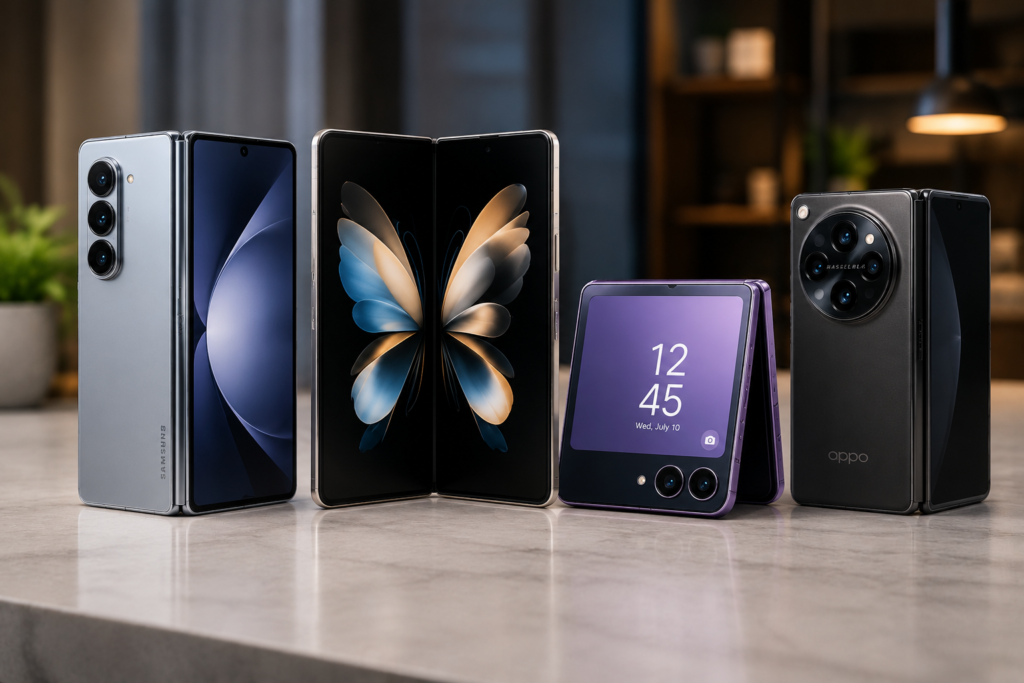
Best Foldable Phones to Buy in 2026

Best Foldable Phones to Buy in 2026

By Samrat Chakraborty

Foldable smartphones are no longer futuristic gadgets.

In 2026, they have become more durable, more powerful, and more practical for everyday use. Whether you love multitasking, gaming, or watching movies on a larger display, a foldable phone can completely change your smartphone experience.

Here are some of the best foldable phones you should consider this year.

1. Samsung Galaxy Z Fold 7

Best for: Productivity and multitasking

Samsung continues to dominate the foldable market with its Galaxy Z Fold series. The large inner display, premium build quality, and S Pen support make it an excellent choice for professionals and power users.

Official Website:

https://www.samsung.com-

2. Google Pixel Fold 2

Best for: Android experience and photography

Google’s foldable phone combines clean Android software with powerful AI features and an impressive camera system. It is perfect for users who want the latest Google innovations.

Official Website:

https://store.google.co

3. OnePlus Open 2

Best for: Performance and value

The OnePlus Open 2 offers flagship-level performance, a smooth folding mechanism, and ultra-fast charging, making it one of the best alternatives to Samsung.

Official Website:https://www.oneplus.com

4. OPPO Find N5

Best for: Compact design

OPPO has refined the foldable experience with a lightweight body and premium hardware. The phone is comfortable to carry while still offering a large display when unfolded.

Official Website:

https://www.oppo.com

5. Motorola Razr Ultra

Best for: Stylish flip phone lovers

Motorola has brought back the iconic Razr design with modern technology. The large cover display and sleek design make it one of the most attractive foldable phones available.

Official Website:

https://www.motorola.com

Things to Consider Before Buying

Display quality✅

Hinge durability✅

Battery life✅

Camera performance✅

Software updates✅

Price and warranty✅

Are Foldable Phones Worth Buying?

If you enjoy multitasking, media consumption, and cutting-edge technology, foldable phones are definitely worth considering.

The latest generation is stronger, more reliable, and more practical than ever before.As technology continues to improve, foldable devices are expected to become a major part of the smartphone industry.

Final Verdict

The Samsung Galaxy Z Fold 7 remains the best overall foldable phone, while the OnePlus Open 2 offers excellent value for money.

If you prefer a compact flip phone, the Motorola Razr Ultra is a fantastic option.No matter which one you choose, 2026 is shaping up to be one of the best years to experience foldable smartphone technology.

Foldable phones in 2026 are like Swiss Army knives for technology enthusiasts: versatile, practical, and designed to enhance daily tasks and entertainment experiences. With advancements in display technology, the user experience is smoother and more immersive than ever. Manufacturers are also focusing on durability, ensuring that these devices can withstand everyday wear and tear. Additionally, the integration of AI features is enhancing functionality, making multitasking even more efficient. As more brands enter the foldable market, consumers can expect increased competition and innovation, leading to better options at various price points. Ultimately, the future looks bright for foldable phones as they continue to evolve and redefine what a smartphone can be.

Top 10 Free AI Tools for Students in 2026

💻 Top 10 Free AI Tools for Students

1.ChatGPT (Free Version)Best for: Explaining concepts, brainstorming, study guidesChatGPT can break down complex topics into simple explanations, help you brainstorm essay ideas, and create practice questions for any subject. The free version (GPT-4o mini) is more than enough for most student needs.

How students use it: “Explain photosynthesis like I’m in 9th grade” or “Give me 10 practice questions on World War 2”

Website: chatgpt.com

2.Google GeminiBest for: Research with real-time informationUnlike some AI tools, Gemini is connected to current Google search data, making it useful for research on recent events or up-to-date statistics.

How students use it: Quick fact-checking, current events research for essays.

Website: gemini.google.com

3. Notion AIBest for: Note-taking and organizationIf you already use Notion for notes, its built-in AI can summarize long notes, generate to-do lists from messy notes, and even translate content.

How students use it: Turning messy lecture notes into organized study guides

Website: notion.so⁠

4. Quizlet (AI-Powered Study Sets)Best for: Flashcards and exam prepQuizlet’s AI can automatically generate flashcards from your notes or textbook content, and create practice tests based on what you’re studying.

How students use it: Upload a chapter PDF → get instant flashcards

Website: quizlet.com

5. Grammarly FreeBest for: Writing and grammar checkingGrammarly’s free version checks grammar, spelling, punctuation, and basic clarity issues in real-time as you type — essential for essays and emails.

How students use it: Final check before submitting any written assignment

Website: grammarly.com

6. Microsoft CopilotBest for: Students with school Microsoft accountsMany universities provide free Microsoft 365 accounts, which include Copilot — useful for working inside Word, Excel, and PowerPoint with AI assistance.

How students use it: Creating presentation outlines, formatting Excel data for projects

Website: copilot.microsoft.com

7. Khanmigo (Khan Academy AI)Best for: Math and science tutoringKhan Academy’s AI tutor walks students through problems step-by-step instead of just giving answers — designed specifically for learning, not cheating.

How students use it: Getting unstuck on a math problem with guided hints

Website: khanacademy.org


8. Otter.aiBest for: Recording and transcribing lecturesOtter.ai’s free plan transcribes lectures in real-time, so you can focus on listening instead of writing everything down — then review the text later.

How students use it: Record lectures → get searchable text notes automatically

Website: otter.ai

9. Canva AI (Magic Studio)Best for: Presentations and visual projectsCanva’s free AI tools can generate presentation designs, images, and infographics — perfect for class projects that need to look professional.

How students use it: Creating presentation slides with AI-generated backgrounds and layouts

Website: canva.com

10. Perplexity AIBest for: Research with citationsPerplexity acts like a search engine combined with AI — it answers questions and shows you the sources, making it useful for research papers where you need citations.

How students use it: Research papers requiring credible source citation.

Website: perplexity.ai

Final Verdict

For most students, a combination of ChatGPT + Grammarly + Quizlet covers 90% of daily study needs — explanations, writing checks, and exam prep, all for free.If your coursework involves research papers, add Perplexity AI for citations. And if your school provides Microsoft 365, Copilot is worth using since it’s already included.The key is using these tools to learn faster, not to skip learning altogether — AI works best as your study partner, not your replacement.Which AI tool do you already use for studying? Let us know in the comments below!

Best Laptops Under $500 in USA (2026 Edition)

Buying a laptop on a budget doesn’t mean you need to compromise on performance. In 2026, there are several options under $500 that offer solid performance for students, professionals, and everyday users. Whether you need a device for online classes, work-from-home tasks, or entertainment, this list will help you find the right pick.


🔑 Things to Consider Before Buying

Before we jump into the list, here are a few key factors you should look for in a budget laptop:

Processor: Intel i3 / AMD Ryzen 3 or above for smooth multitasking

RAM: Minimum 8GB for better speed

Storage: At least 256GB SSD (faster than HDD)

Display: Full HD (1920×1080) for sharp visuals

Battery Life: 6+ hours for day-to-day use


🖥️ Top 5 Laptops Under $500 in USA (2026)

  1. Acer Aspire 5 (2025 Model)

Price: Around $480

Specs: Intel Core i3 13th Gen, 8GB RAM, 256GB SSD, 15.6” Full HD display

Why Buy: Reliable performance, good keyboard, lightweight design

Best For: Students and work-from-home professionals


  1. Lenovo IdeaPad 3i

Price: $450

Specs: Intel Core i3, 8GB RAM, 512GB SSD, 15.6” FHD

Why Buy: Large SSD storage, slim design, affordable pricing

Best For: Casual users, online learning, everyday tasks


  1. HP 14 Laptop

Price: $470

Specs: AMD Ryzen 3 7320U, 8GB RAM, 256GB SSD, 14” display

Why Buy: Good battery backup, compact size, great for portability

Best For: Students who need a lightweight option


  1. ASUS VivoBook 15

Price: $499

Specs: Intel Core i3, 8GB RAM, 256GB SSD, NanoEdge display

Why Buy: Stylish design, good build quality, fast boot-up

Best For: Office professionals and daily productivity


  1. Dell Inspiron 15 3000

Price: $490

Specs: Intel Core i3, 8GB RAM, 256GB SSD, Windows 11 Home

Why Buy: Trusted Dell support, durable build, decent multitasking

Best For: Home users and casual work


⚖️ Comparison Table

Laptop Processor RAM Storage Display Price

Acer Aspire 5 Intel i3 13th Gen 8GB 256GB SSD 15.6” FHD $480
Lenovo IdeaPad 3i Intel i3 8GB 512GB SSD 15.6” FHD $450
HP 14 AMD Ryzen 3 8GB 256GB SSD 14” HD $470
ASUS VivoBook 15 Intel i3 8GB 256GB SSD 15.6” FHD $499
Dell Inspiron 15 Intel i3 8GB 256GB SSD 15.6” FHD $490


🏆 Final Verdict

If you want the best all-rounder, go for the Acer Aspire 5.
For maximum storage at low price, choose Lenovo IdeaPad 3i.
If you prefer portability, the HP 14 is the best pick.


📌 Conclusion

Finding a budget laptop in 2026 is easier than ever. With under $500, you can get a reliable device for studies, office work, or entertainment. Always compare based on your needs—whether that’s performance, storage, or portability.

💡 Tip: Prices keep changing, so check online deals on Amazon, Best Buy, or Walmart before making the purchase.